Permanent Presets
In idle mode, Admins can create new permanent presets and permanently change existing presets:
|
1.
|
On the RX-PAD, touch the camera hard key below the screen. |
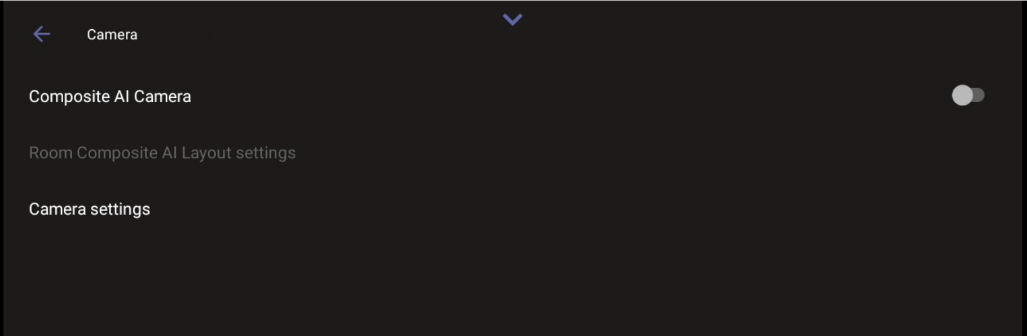
To define presets, Composite AI Camera must be disabled.
|
4.
|
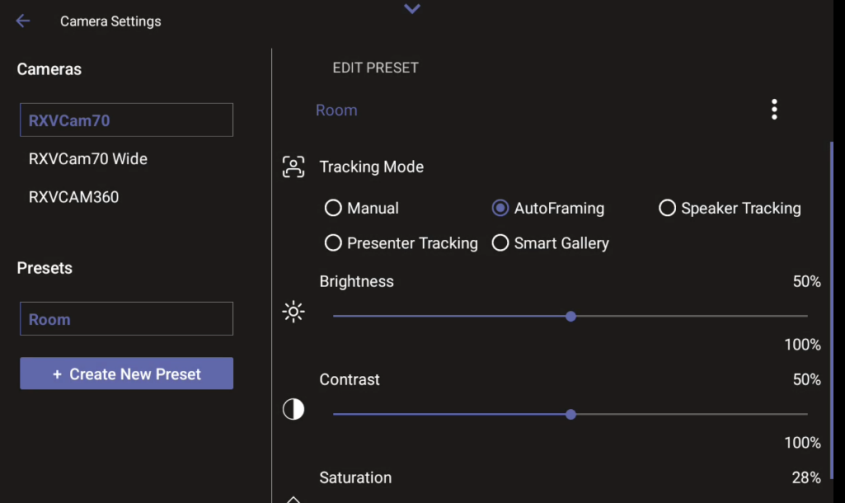
Edit the ‘Room’ preset or create a new preset. Changes are automatically saved. |
|
5.
|
[Optionally] Tap the vertical ellipsis and then from the pop-up menu select the Rename option to change the name of the preset. |
|
6.
|
[Optionally] Tap the vertical ellipsis and then from the pop-up menu select the Restore option to return camera settings to their defaults. |